




New

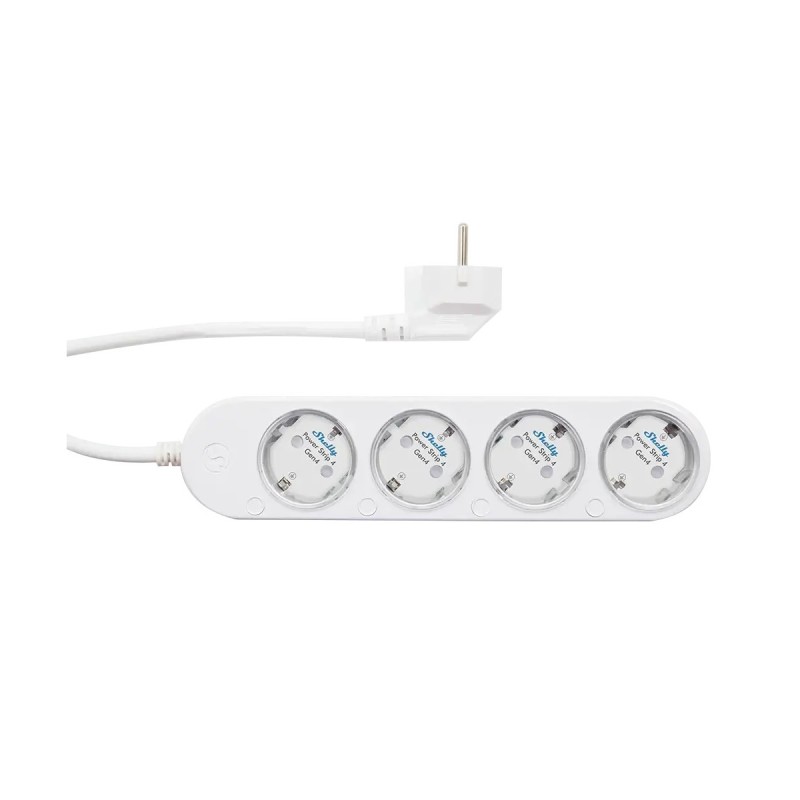
Smart power strip with 4 individually controlled socket Shelly Power Strip 4 Gen4
Technical information:
Power supply: 220 - 240 V~ 50/60 Hz
Max. switching voltage: 240 VAC
Humidity: 30 % to 70 % RH
Ambient working temperature: -20 °C to 40 °C
Size: 43x237x56 mm
Weight: 560g
Specification:
Shelly Power Strip 4 Gen4 (the Device) is a smart 4 plug/outlet with individual power measurement and overheating protection, which allows remote control of electric appliances through a mobile phone, tablet, PC, or home automation system. It can work standalone in a local Wi-Fi network or it can also be operated through cloud home automation services.
Shelly Power Strip Gen4 can be accessed, set up and monitored remotely from any place where the User has internet connectivity, as long as the device is connected to a Wi-Fi router and the Internet.
The Device has an embedded Web Interface, which can be used to monitor and control the device, as well as adjust its settings.
The Device has multi-protocol wireless MCU which provides Zigbee and Bluetooth connectivity, ensuring a secure connection.
This device is compatible with Matter.
Next-generation Wi-Fi smart 4 plug strip with multicolor individual LED indication
Scripting
Wi-Fi range extender
BLE gateway
Zigbee repeater
Power metering on every plug
Schedules
Wide compatibility with 3rd party home automation systems
Local actions
Shelly Cloud/Shelly Smart Control app support (optional)
Virtual Components
KNX net/IP support
Use it as color night light:
Night mode with custom settings
When switched on, the Night mode reduces the brightness of the LED indication of your Shelly Power Strip Gen4 during the night hours so that you can have undisturbed night sleep.
No more forgotten appliances on:
Monitor and control all plugged-in appliances easily with just a few clicks on your phone. Thanks to its integrated countdown timer and locally stored schedules, Shelly Power Strip Gen4 can automatically switch off any forgotten device after an hour to save energy.
Example: Iron, smaller ovens, heating electrical radiators
Avoid energy waste by automating your electrical appliances:
Automate appliances in the office that are not used at night or over the weekend by simply adding Shelly Power Strip Gen4. Now, you can set smart schedules that will turn off the power to all unused electrical appliances between 7:00 PM and 7:00 AM during the weekdays and between 7:00 PM on Friday and 7:00 AM on Monday. That way, you will cut the energy consumption of these devices in half, which will result in significant optimiсation of the monthly energy cost.
Example: Using schedules, automate smaller ovens, heating electrical radiators, IR heaters
Air purifier that follows the air conditions:
If you are living in a big city, the air can get pretty polluted, especially during the fall and winter seasons. Thanks to Shelly Power Strip Gen4 scripting functionalities, you can extract data straight from the air pollution control and set your old air purifier at home to turn on when the air pollution levels outside increase.
Example: Using scripting you can automate an Air purifier appliance and turn it on/off based on 3rd party data.
Mildly dimmed night light for children's comfort:
You can now set the color and the level of glow for your Shelly Power Strip Gen4 LED indication and use it as subtle light for the kids' room at night.
Residential
MDU (Multi Dwelling Units - apartments, condominiums, hotels, etc.)
Light commercial (small office buildings, small retail/restaurant/gas station, etc.)
Government/municipal
University/college
Yes
Yes
Yes
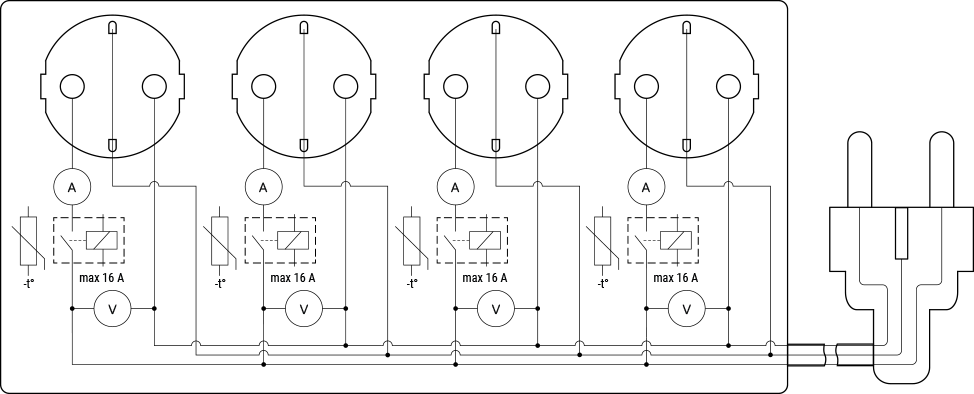
1 CEE 7/7 plug
4 CEE 7/3 (Type-F / Schuko) socket
Wi-Fi
Bluetooth
Zigbee
Overheating protection
Overvoltage protection
Overcurrent protection
Overpower protection
Resistive (incandescent bulbs, heating devices)
Capacitive (capacitor banks, electronic equipment, motor start capacitors)
Inductive (LED light drivers, transformers, fans, refrigerators, air-conditioners))
One push button for each socket
Press to turn the output On/Off.
Press and hold to turn Off all 4 sockets on the strip
Press and hold push buttons 1 and 4 on the strip
For 3 sec to check status (Possible only when the outputs are Off).
For 5 sec to reboot (Possible up to 60 sec after plugging in the device to the power grid/power supply).
For 10 sec to factory reset (Possible up to 60 sec after plugging in the device to the power grid/power supply).
Press the control button for the desired socket 5 times in quick succession ???? → ???? → ???? → ????→ ???? :
To switch the Device from Matter firmware (default) to Zigbee firmware.
Press the control button for the desired socket 3 times in quick succession: ???? → ???? → ???? :
To activate Zigbee commissioning mode. This enables the Device to connect to a Zigbee network (pairing mode).
LED indication
When plugged for the first time:
Blue light flashing, indicating AP mode.
When plugged/powered again after being successfully connected to a Wi-Fi network and buttons 1 and 4 pressed and holded for 3 seconds:
Red light flashing slowly, indicating the the Device is reconnecting to the Wi-Fi network.
Constant red light, indicating that the Device cannot reconnect to the Wi-Fi network.
Yellow light flashing slowly, indicating the the Device is reconnected to the Wi-Fi network but not connected to the Shelly Cloud.
Constant green light, indicating that the Device is reconnect to the Wi-Fi network and the Shelly Cloud.
When output is On:
Power consumption represented by a smooth color change (Default):
Green light at 0% of power limit set
Yellow light at 50% of power limit set
Red light at 100% of power limit set
User can select the brightness (Default brightness - 100%).
Custom color (Default color - Green, Default brightness - 100%)
Off
When output is Off:
Off (Default):
Custom color (Default color - Red, Default brightness - 100%)
When OTA update is in progress:
Red light flashing